For consultants & advisors
A client walks you through something they would never put in an email. You still need the notes, and their audio cannot go to a cloud service. Here is how consultants keep an accurate record of each session without any of it leaving the phone.
Consulting is sold as judgement, and the judgement comes out of conversations. A scoping call where the client finally says what is actually broken. A workshop where six people argue their way to a decision. A quiet advisory session that was never meant to be repeated. You need an accurate record of each one, and you need it without a third party ever holding the audio.
That last part is where the usual tools stop. Most AI notetakers upload the recording to run it, which is exactly what a client under an NDA, or in a regulated sector, will not sign off on. So you fall back to typing while half-listening, or writing the session up from memory on the train home. Both lose the detail that the client is paying you to catch.
Fieldnoter runs the whole job on the iPhone in your pocket. It records, tells the speakers apart, and drafts a summary, with no account and no server that could receive the audio. It will not join a video call as a bot, and there is no shared dashboard for the client to log into. It keeps a clean, private record of each engagement and hands nothing over.
The workflow
The same recording carries you from walking in to sending the notes, without a login or an upload anywhere in between.
01 / Before
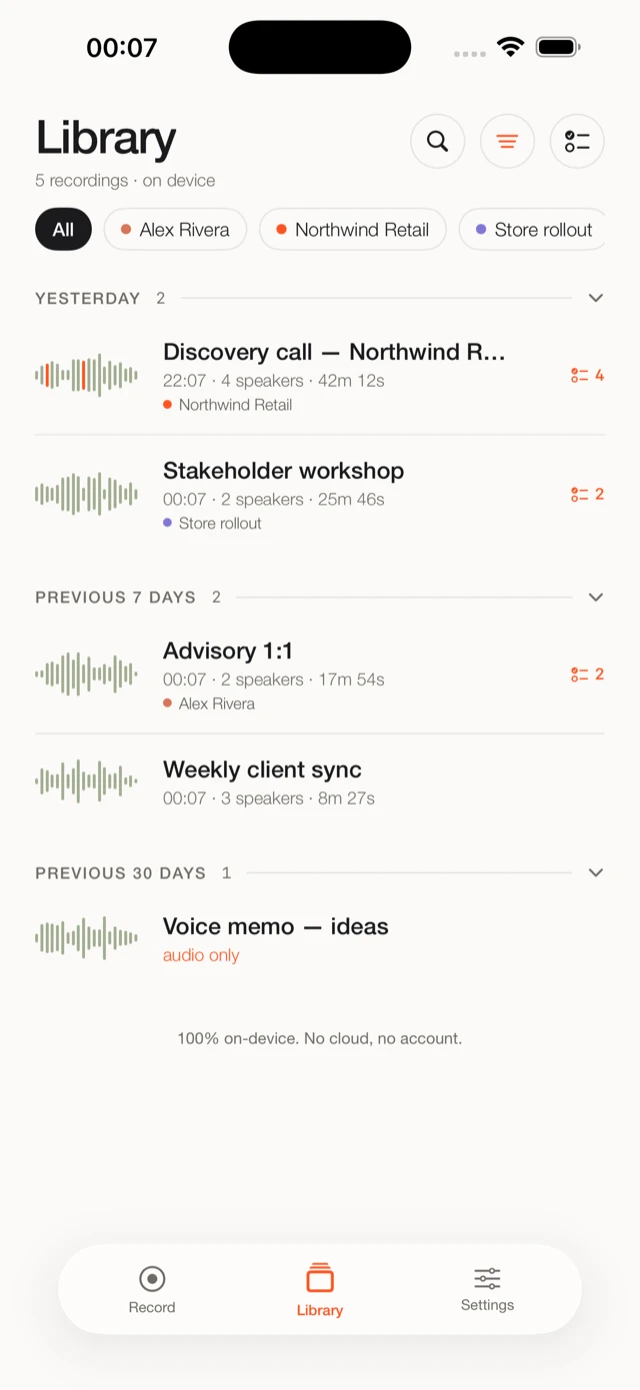
Open the client, and last month's session is right there. The prep brief pulls from your earlier transcripts, so you go into the steering committee remembering the decision that was parked and the number you promised to bring back.
02 / During
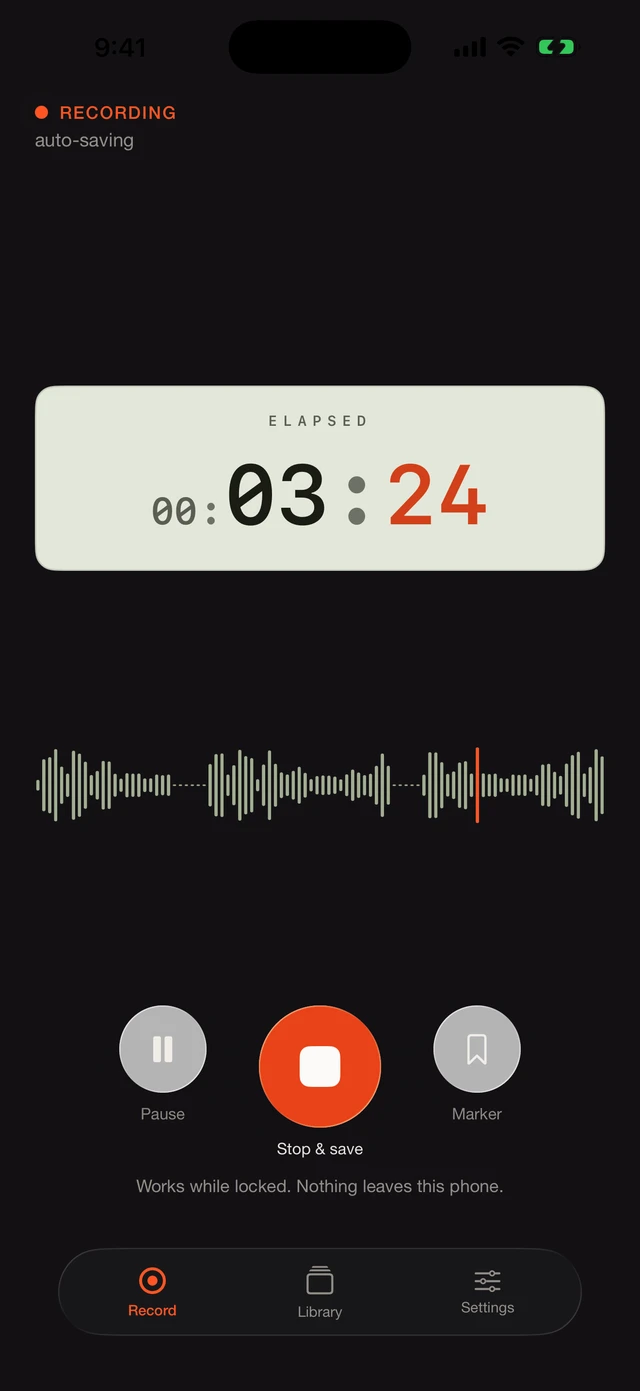
Start recording and put the phone down. In a workshop with several stakeholders that matters more than usual: you need to know later who raised the risk and who took the action, and Fieldnoter keeps the voices apart while you stay in the discussion.
03 / After
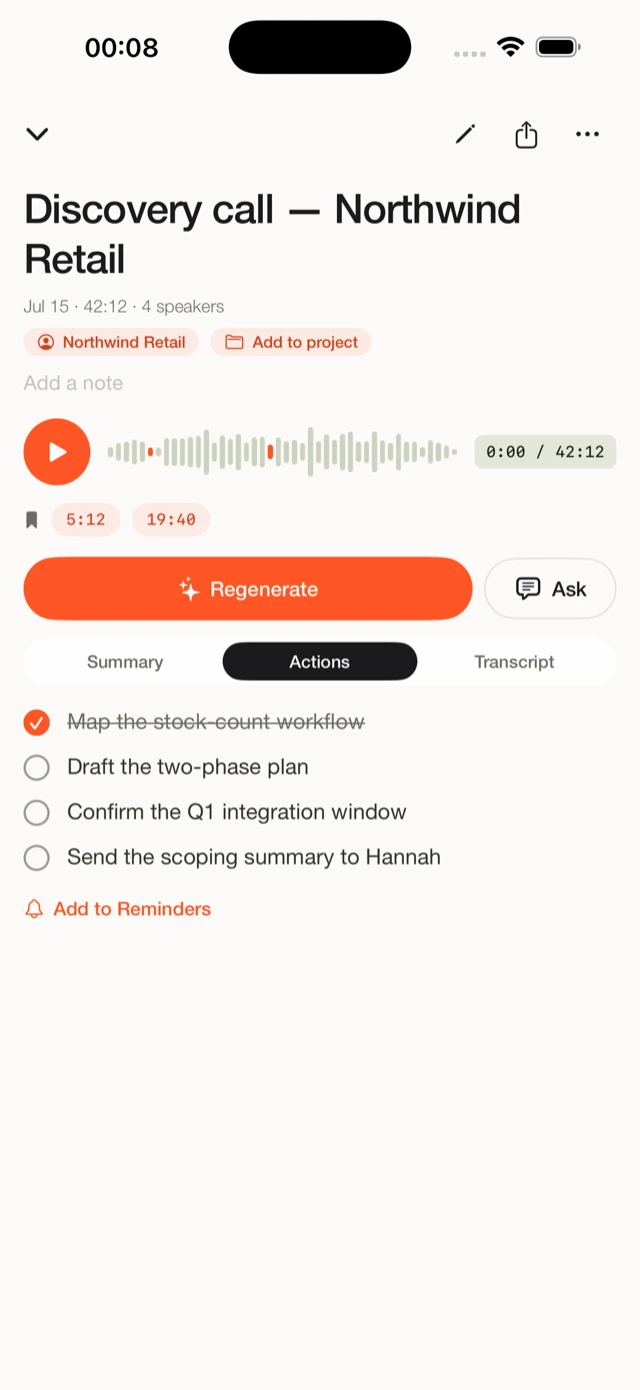
The transcript comes back with a summary and a list of actions. Because each voice is named, every action already sits against the person who owns it, so the follow-up email writes itself and the notes drop straight into the deck or report you owe the client.
Why on-device fits consulting
A client tells you the unreleased numbers, the real reason behind the reorg, the personnel problem nobody has named yet. They do that because they trust you to keep it contained. Upload that recording to a cloud transcription service and it now sits on someone else's infrastructure, usually abroad, under a contract the client never signed. For a regulated client, or one with a security team that actually reads what you install, that is where the conversation ends.
An on-device app takes the question off the table rather than answering it. Fieldnoter has no server that could receive the audio, so there is nothing for the client to add to a data map and no transfer for them to justify. When their security team asks where the recording goes, you can say it stays on the phone and prove it on the spot: put the device in airplane mode and record anyway.
When you need that in writing, hand over the fact sheet for IT and security teams. It covers the data flows and network behavior on a single page. For the legal side, the guide on GDPR and meeting transcription walks through processors, data transfers, and where an on-device app lands.
The short version
Fieldnoter has no server that could receive your audio. The recording, the transcript, and the notes live only on your iPhone. Delete a recording and it is gone. Delete the app and it all goes with it.
Questions consultants ask
Fieldnoter uploads nothing, so there is usually nothing for IT to block. Recording a person is a separate question, covered by the client's consent and your own firm's policy. Ask in the room before you start, and if the client's security team wants detail, send them the fact sheet for IT teams.
Send them the fact sheet for IT and security teams. It sets out the data flows and network behavior on one page. The short version is that the audio never leaves the phone, and they can confirm it themselves by recording in airplane mode.
Yes. After a one-time model download when you first set up the app, everything runs on the device. You can record and transcribe a full session with no connection at all.
Yes. Recordings sit under a client and a project, and a prep brief pulls from your earlier sessions with that client. You can also put Face ID in front of the whole app.
The summary and action items are ready to paste, and you can export the full transcript as TXT, SRT, VTT, JSON, or CSV to drop into a document, a deck, or your engagement file.
Read next
The routes that pass a cloud ban, and how to get an on-device app approved.
Guide8 minProcessors, data transfers, and where an on-device app sits in that picture.
How-to4 minFrom the first tap to a finished transcript, step by step.