For journalists & researchers

Source interviews, transcribed. On your phone alone.

A source talks to you because they trust you to protect them. Fieldnoter records, transcribes, and labels the interview on your iPhone, so the audio never passes through a service that could hand it over.

Investigative work runs on people who agree to talk. A source shares something because they trust you to protect them, and the recording of that conversation is both your raw material and the thing that could expose them. The convenient way to capture an interview, a cloud AI notetaker, adds a server that could hold the audio, log it, or be compelled to produce it later.

So reporters fall back to shorthand and memory, and lose the exact wording that a quote depends on. Fieldnoter is built for this gap. It records the interview, transcribes it with speaker labels, and keeps everything on your iPhone. There is no account to create and no server that could receive the audio, so the recording never leaves your device.

The trade is deliberate. Fieldnoter does not join a call as a bot and does not give anyone a shared web dashboard. It is a private recorder that keeps your interviews in your pocket, and hands nothing to a third party that could be asked for it.

The workflow

From the recorder to the quote, on one device.

An interview has three moments. Fieldnoter covers all three without a login, a meeting bot, or an upload.

01 / Capture

Record or import

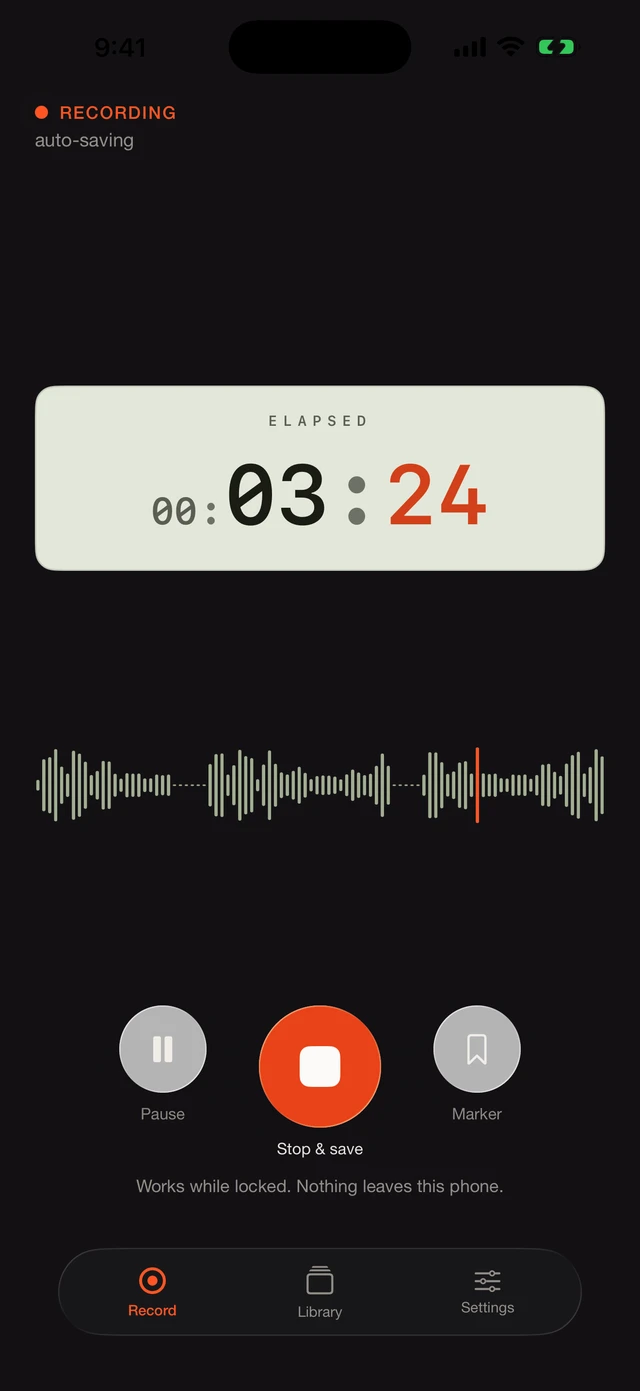
Record the interview live, or import a file you already have. Either way the audio lands on the phone, grouped by project, ready to work with.

  • Live recording with speaker separation
  • Import audio or video you recorded elsewhere
  • Works offline, even in airplane mode
Fieldnoter recording a live interview with a waveform on screen

02 / Make sense

See who said what

Fieldnoter transcribes on the device and labels the speakers, so the interview reads as a clear back-and-forth. Name each voice once and it holds across the transcript.

  • Transcript with speaker labels
  • Real names that follow the whole conversation
  • Templates for interview settings
A labeled interview transcript in Fieldnoter showing who said what

03 / Use it

Find the quote and file it

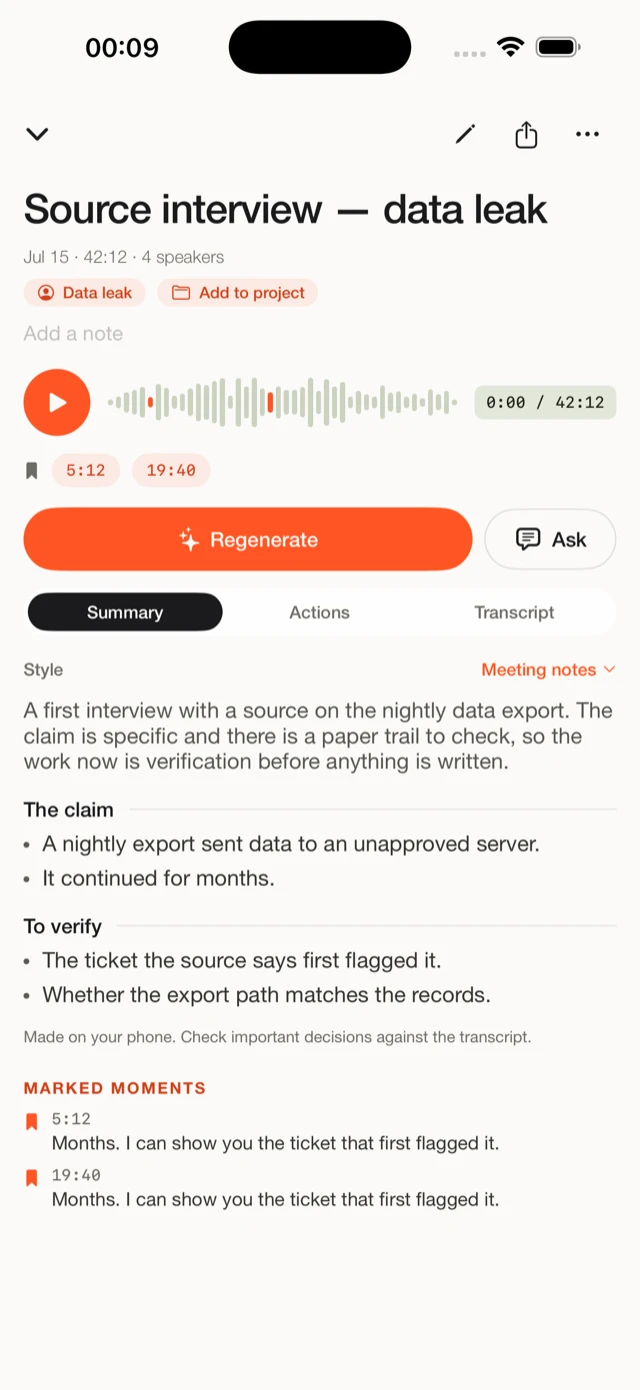
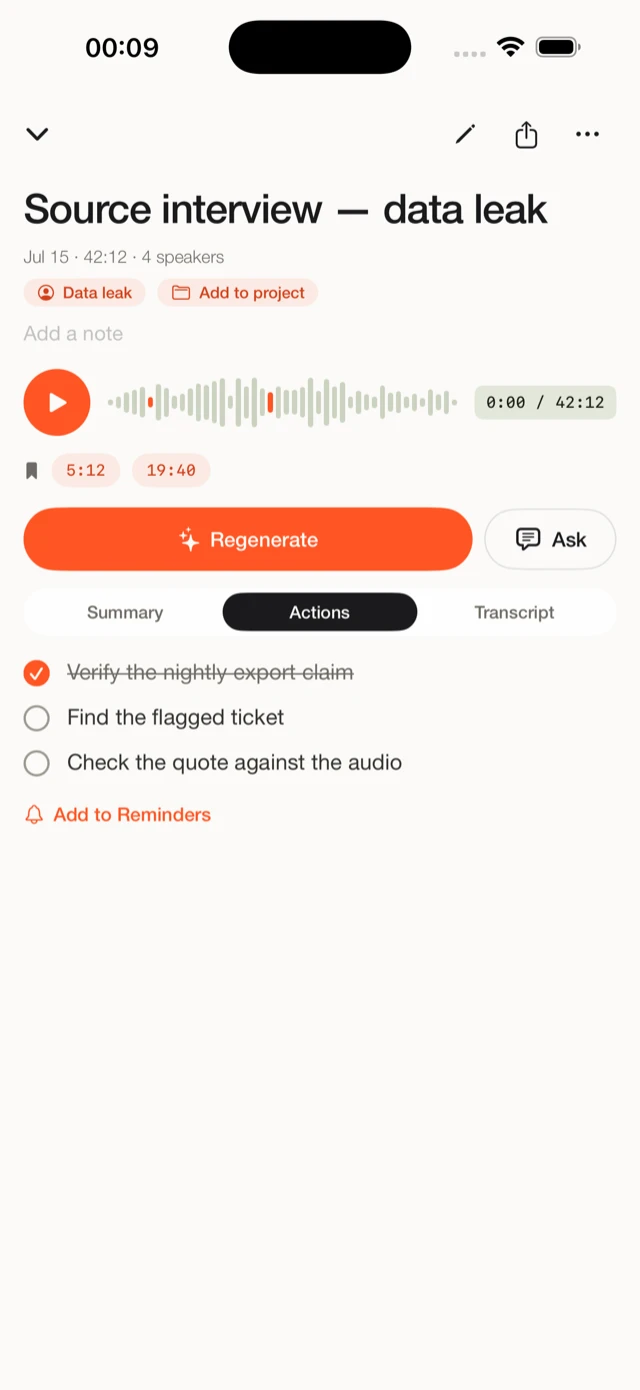
Get a summary and jump straight to a line through its timestamp, so a quote is easy to check against the audio. Export the transcript in the format your desk needs.

  • A summary written on the device
  • Timestamps that lead back to the exact moment
  • Export to TXT, SRT, VTT, JSON, or CSV
A summary and action items from an interview in Fieldnoter

Why source protection starts with the recording

The fewer copies, the safer the source.

Protecting a source means limiting who can reach the recording. Every cloud service in the chain is another party that can hold the audio, log that it exists, or be compelled to produce it. An on-device app keeps the recording to one place, your phone, so there is no server in the middle to subpoena and no account that ties the file to your name.

One honest caveat belongs here. If you import a recording that was already made in a cloud service, a copy may already exist there, and this app cannot undo that. On-device transcription protects what you capture with Fieldnoter from the recording onward. It cannot reach back and remove a file that has already been uploaded somewhere else.

For the practical steps, the guide on transcribing a confidential interview walks through keeping a sensitive conversation off the cloud from recording to export. If you want to know exactly what stays on the phone, the guide on what on-device transcription actually means explains where the audio goes and what a model download is.

Why on-device matters here

Source protection and cloud uploads pull in opposite directions.

Protecting a source means limiting who can reach the recording. A cloud transcription service adds a server that can hold, log, or be compelled to produce the audio. Fieldnoter keeps the recording on the device, so there is no server that could receive it. One honest caveat: if you import a recording that was already made in a cloud service, a copy may already exist there, and this app cannot undo that.

0bytes of the interview uploaded
No accountno sign-in, no profile
Offlineworks in airplane mode

Questions reporters ask

Before you record.

Does the interview really stay on the device?

Yes. Fieldnoter has no server that could receive the audio, so the recording, the transcript, and the notes live only on your iPhone. You can confirm it by turning on airplane mode and recording anyway.

Can I import a recording I already made?

Yes. You can import an audio or video file and transcribe it on the device like any other recording. One caveat: if that file was already made in a cloud service, a copy may already exist there, and this app cannot undo that.

Does it work offline, in airplane mode?

Yes. After a one-time model download when you first set up the app, transcription runs on the device. Recording and transcription both work in airplane mode.

Can I find a quote and check it against the audio?

Yes. Every line carries a timestamp, so you can jump from the transcript to the exact moment in the recording and check a quote before you use it.

Is it a subscription?

No. Recording is free, and your first five transcriptions are free. After that a single one-time purchase gives you unlimited use. There is no account and no renewal.

Read next

Set it up the right way.

Your interviews, transcribed without the cloud.

Free for your first 5 transcriptions. One payment after that, no subscription, no account.